KeyKey

KeyKey

The Typing Tutor
That Actually Works

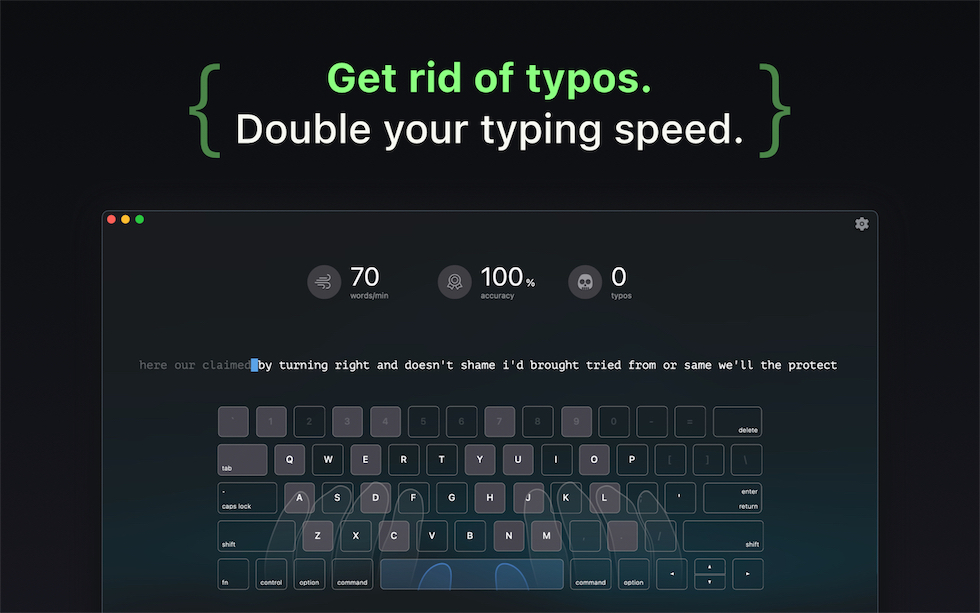
KeyKey teaches touch typing through natural language patterns and smart adaptive lessons that develop reliable, long-term muscle memory โ€” not the random syllables found in typical trainers.

๐Ÿ’ฌ Real-world letter patterns, not nonsense syllables
๐ŸŽฏ Smart lessons that adapt to your progress
๐ŸŒ Supports your language and your keyboard layout
KeyKey vs
Other Typing Tutors

Most typing tutors teach you to memorize the keyboard. KeyKey teaches your fingers to move naturally โ€” using real language patterns and adaptive lessons that match how your brain actually learns.

Other Tutors
KeyKey
Learning approach
โŒ Random syllables
(asdf jkl; fff jjj)
โœ… Real language patterns
(words, phrases)
Lesson adaptation
โŒ Fixed linear progression
for everyone
โœ… Smart lessons adapt
to your mistakes
Progress tracking
โŒ Basic WPM counter only
โœ… Detailed statistics
and insights
Practice model
โŒ Memorize keyboard
layout first
โœ… Muscle memory
through repetition
App quality
โŒ Web-based,
requires internet
โœ… Native Mac app,
works offline
Privacy
โŒ All typing tracked
on their servers
โœ… Your data stays
on your Mac
Pricing
โŒ Monthly subscription
forever
โœ… One-time purchase
(or free trial)
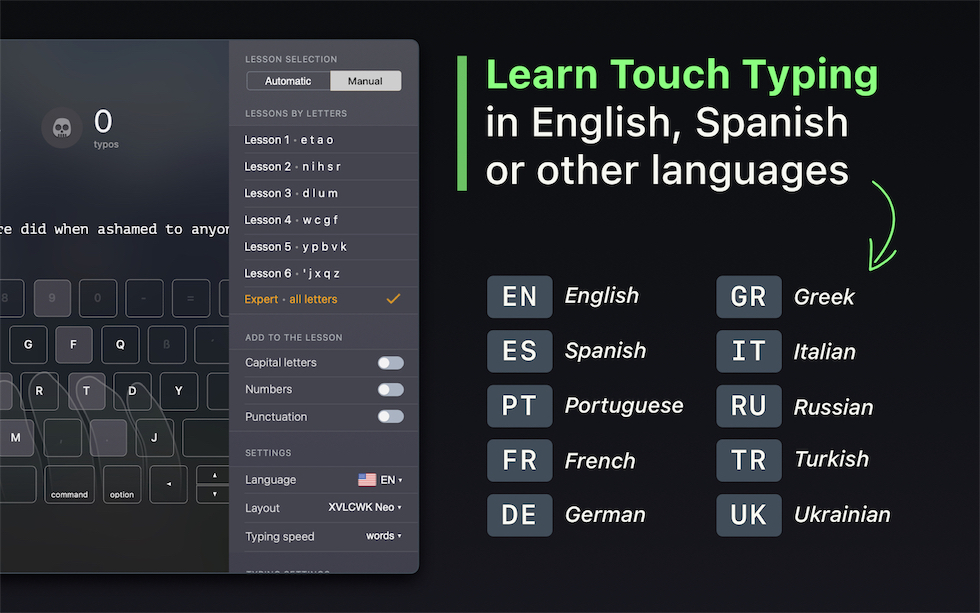
KeyKey Introduction KeyKey Languages

Why KeyKey
Gets Fast Results

Traditional typing tutors waste your time with outdated methods. KeyKey uses proven techniques that work with how your brain actually learns.

๐Ÿ”ค

The Problem

asdf jkl; fff jjj
asdf jkl; asdf jkl;

Your brain doesn't learn from nonsense syllables. Random characters don't create lasting muscle memory.

KeyKey's Solution

Real words and natural language patterns. Your fingers learn real movements you'll actually use.

๐Ÿ“Š

The Problem

Everyone follows the same lessons in the same order, regardless of their mistakes or progress.

KeyKey's Solution

Smart adaptive lessons analyze your typing. Struggle with 'Q'? You'll practice Q-words more. Fast with vowels? Move ahead quicker.

๐Ÿง 

The Problem

Traditional tutors make you memorize keyboard positions. The moment you stop thinking, you forget.

KeyKey's Solution

Build automatic finger movements through natural repetition. Type without thinking โ€” that's real touch typing.

๐Ÿ˜ด

The Problem

Boring drills and repetitive exercises make you quit before seeing results.

KeyKey's Solution

Engaging lessons with real texts. Practice typing things you'd actually want to read.

๐Ÿ‘€

The Problem

Many tutors let you peek at the keyboard. You'll never learn touch typing if you keep looking down.

KeyKey's Solution

Visual keyboard on screen โ€” learn finger positions without looking down. Build proper habits from day one.

๐ŸŽฎ

The Problem

Excessive points, badges, and distractions make you focus on the game, not the skill.

KeyKey's Solution

Clean, focused interface. Progress tracking that matters โ€” WPM, accuracy, and real improvement over time.

Keep Track of
Your Progress

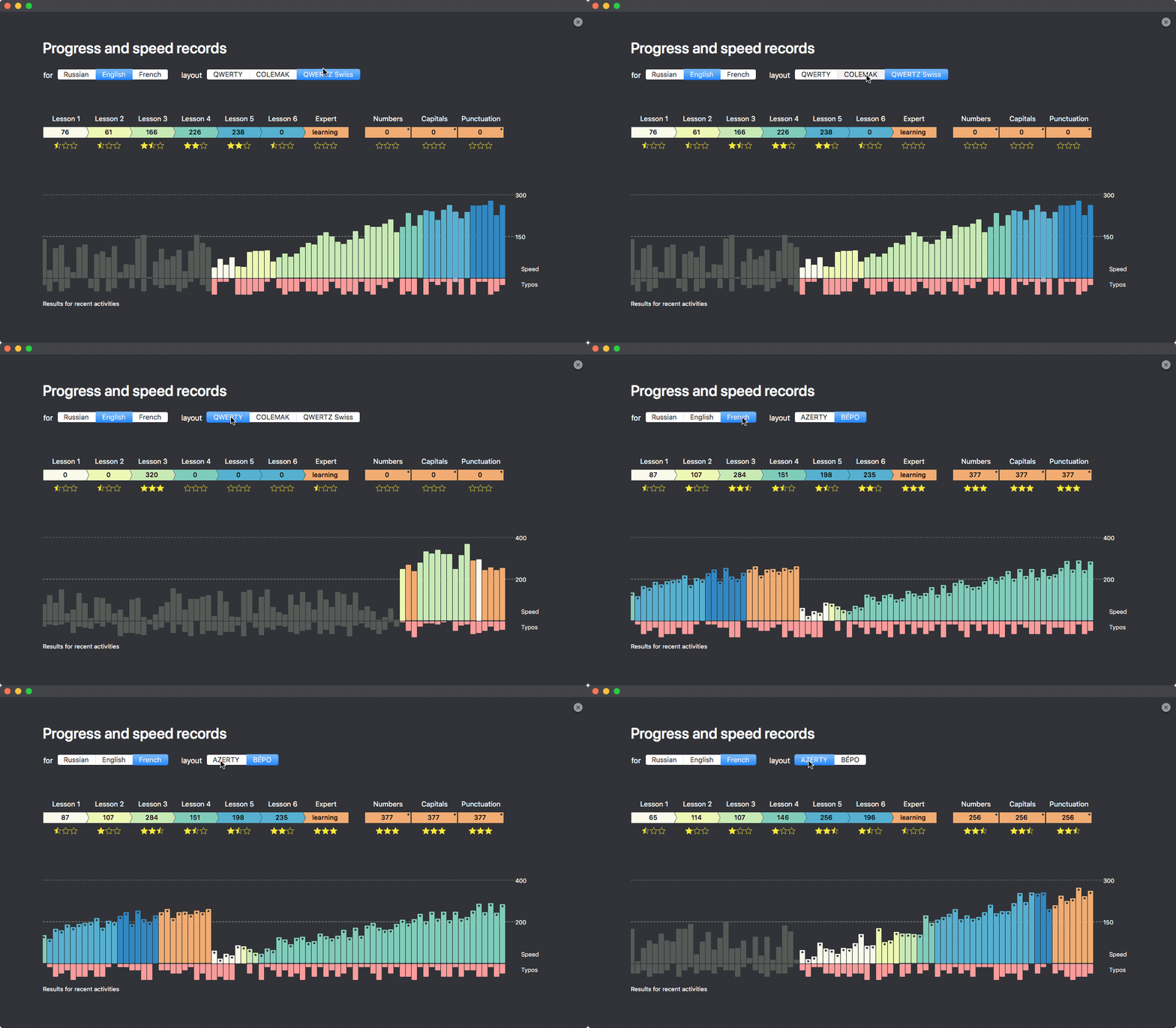
Statistics will help you to monitor speed records and errors that are made during each lesson. The total unbiased rate of touch typing is displayed with the final "Expert" lesson.

KeyKey statistics showing progress tracking

Statistics shows the results of all approaches and records for each of the attempts passed

Virtual Keyboard

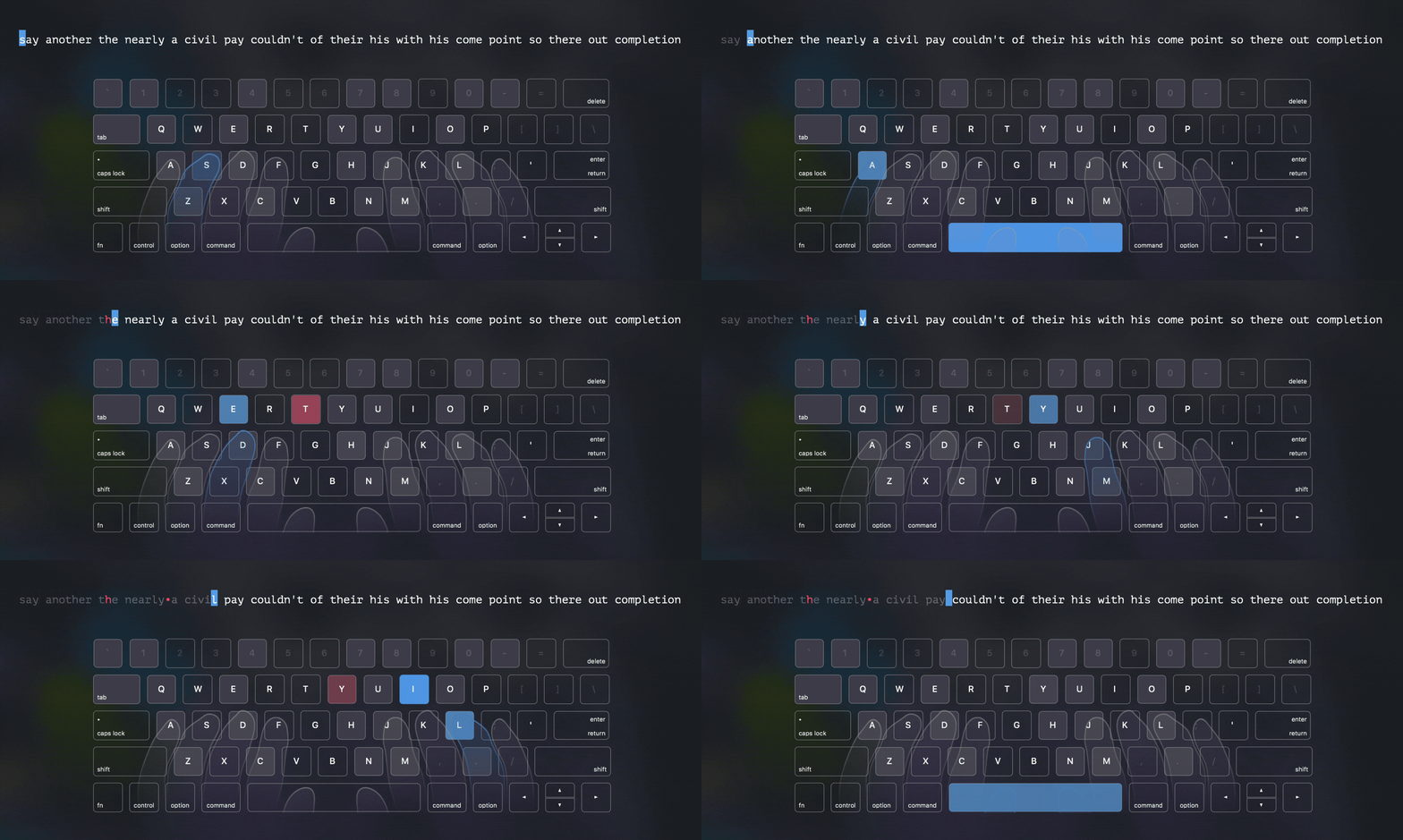
See which fingers to use for each key in real-time. The visual keyboard guides your learning without letting you look down โ€” building proper muscle memory from the start.

KeyKey virtual keyboard showing finger positions

Lessons in
Your Native Language

Type trainer algorithm functions on the basis of your native language. With this aim in view, we analyze hundreds of articles and books in various directions: IT, economics, politics, fiction. Then we manually test work results of the algorithm on various layouts.

๐Ÿ‡บ๐Ÿ‡ธ English

Supported Layouts

QWERTY
DVORAK
COLEMAK
QWERTZ
QWERTZ Swiss
AZERTY
QGMLWY
XVLCWK (Neo)
๐Ÿ‡ซ๐Ÿ‡ท French

Supported Layouts

AZERTY
AZERTY PC
Bร‰PO
QWERTY Canada
QWERTZ Swiss
๐Ÿ‡ช๐Ÿ‡ธ Spanish

Supported Layouts

QWERTZ
QWERTZ ISO
๐Ÿ‡ฉ๐Ÿ‡ช German

Supported Layouts

QWERTZ
QWERTZ Swiss
XVLCWK (Neo)
๐Ÿ‡บ๐Ÿ‡ฆ Ukrainian

Supported Layouts

ะ™ะฆะฃะšะ•ะ
ะ™ะฆะฃะšะ•ะ PC
๐Ÿ‡ท๐Ÿ‡บ Russian

Supported Layouts

ะ™ะฆะฃะšะ•ะ
ะ™ะฆะฃะšะ•ะ PC
ะœะฐัˆะธะฝะพะฟะธััŒ
๐Ÿ‡ฎ๐Ÿ‡น Italian

Supported Layouts

Italian Typewriting
๐Ÿ‡น๐Ÿ‡ท Turkish

Supported Layouts

Turkish Q
Turkish F
๐Ÿ‡ฌ๐Ÿ‡ท Greek

Supported Layouts

Greek

What users think
about KeyKey

Stories from people who
mastered touch typing with KeyKey.

Loving KeyKey. It's a very, very, very well designed app to help you fix your bad typing habits (and most of us have those even if we are very fast typers. It's not about speed, it's about strain in hands). Great for any keyboards โ€” a must-have if getting used to a new ergo one.

Irakli Nadareishvili, โ˜…โ˜…โ˜…โ˜…โ˜…

I purchased this app over a year ago. It was great when I purchased it & since then it's gotten better and better. I feel like this is a model development team. They consistently release meaningful updates and have greatly improved its UI and functionality. It's obvious these developers care about their product and the people that use it. I recommend it to anyone who's interested in expanding their typing skills.

Targetindicator, โ˜…โ˜…โ˜…โ˜…โ˜…

I had typing at school and I really like training time to time. I was looking for something pretty easy plus gorgeous with simple genuine design. Well if it's something easy and pretty plus doing what it should be, it definitely deserves 4 stars. Good for beginners and intermediate folks.

Vito2befree, โ˜…โ˜…โ˜…โ˜…

Learning to touch type is hard, but it's at least easier with KeyKey. Thanks! I've seen great improvement over 5 days.

Brian Johnson, โ˜…โ˜…โ˜…โ˜…โ˜…

I wanted to brush up on my touch typing in preparation for my future in screenwriting. So far, I'm not the best in the world, but I am miles ahead of where I was. Also, I was a bit jarred when I found some profanity in the pool of words, but that has been removed in the latest update. Really love the fact that the developers support this app with the frequent updates. Kudos!

jamesngregson, โ˜…โ˜…โ˜…โ˜…โ˜…

I've been forcing myself to touch type since January 1. I'm almost at the point where it's more efficient than my very fast but error-prone 3 finger method. I practice with Keykey Typing Tutor.

Mark Frauenfelder, โ˜…โ˜…โ˜…โ˜…โ˜…

Simple but very effective app! Nice aesthetic and sleek design! + Fantastic customer support! Thumbs up!

Zed Hicks, โ˜…โ˜…โ˜…โ˜…โ˜…

I wish I had an app like KeyKey Typing Tutor when I learned to type twenty years ago. Now I'm using it to try to rewire my brain into understanding some other keyboard layouts.

Dominik, โ˜…โ˜…โ˜…โ˜…โ˜…

Frequently Asked Questions

In order to master touch typing skills, you will need 8-16 hours of training that can be uniformly distributed within the period of a month per 15-20 minutes. If you start training systematically, you will likely master touch typing for a couple of weeks.
In order to unblock Lesson 2, it is necessary to complete Lesson 1 accurately. The same goes for the other lessons. In manual mode, it is possible to switch over lessons unrestricted.
Each 50 symbols per minute or 10 words provide you with a half of the star. In other words, to collect all three stars, it is important to type a line correctly at a rate of 300 symbols or 60 words per minute and higher.
It's more than likely that Punto Switcher is installed in a system and it tries to change the text in its own way. Add KeyKey to exceptions in Punto Switcher's settings, and errors will disappear. Similar errors can take place because of any other autocorrecting programs.
Records for symbols, numbers and punctuation occur only in case they are studied in combination with Expert Level, and only after you pass it without a single mistake.
Yes. KeyKey runs entirely on your Mac. No internet needed for training or tracking your progress. The app doesn't collect or transmit your data. Internet is only needed for downloading updates or verifying Mac App Store license.
You can use any standard keyboard. KeyKey works with all keyboards and automatically adapts to your selected layout. For the best learning experience, we recommend practicing on the same keyboard you'll use in everyday work.
Yes. KeyKey supports multiple user profiles through macOS user accounts. Each macOS user has their own separate progress, statistics, and settings. This makes it perfect for families or shared computers.
KeyKey

Master Touch Typing
The Right Way

$14.99

Learn with real language patterns
and adaptive lessons.

๐Ÿ’ฐ One-time purchase.
No subscriptions.
๐ŸŒ 9 languages &
30+ keyboard layouts.
๐Ÿ’ป macOS 12+
Apple Silicon & Intel.